

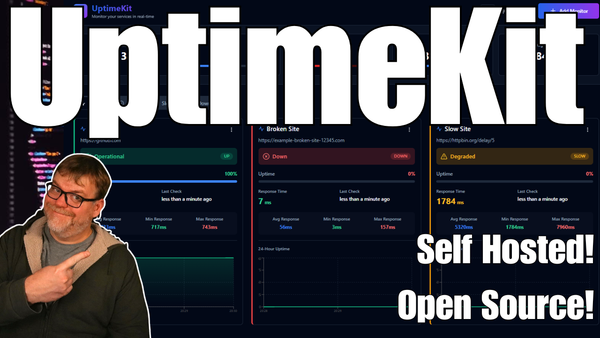
Every now and then you need an uptime monitor that simply works. No reverse proxies, no portals, no complicated infrastructure to maintain. UptimeKit is built around that philosophy. It delivers a clean dashboard, fast performance, and a set of monitoring tools that cover exactly what most self-hosters and IT pros need.
This article takes a closer look at what makes UptimeKit stand out and why it’s worth considering for your home lab or production services. If you want to follow along with a detailed walkthrough and deployment demonstration, the full SYNACK Time video covers everything step-by-step.
What Makes UptimeKit Stand Out
UptimeKit focuses on the essentials. Instead of stacking on dozens of features you may never use, it offers a streamlined, reliable experience that remains fully open source.
Real-Time Dashboard
The interface updates continuously, showing service health at a glance. Color-coded indicators make it clear when something goes offline or begins responding slowly.
Practical Monitor Types
UptimeKit supports the three core check types that matter most:
- HTTP checks for websites and APIs
- DNS lookup checks
- ICMP ping checks for latency and uptime
This combination covers nearly all common uptime scenarios without clutter.
Response Time History
Each monitor includes historical response charts, making it easy to spot performance drops, intermittent issues, or slowdowns over time.
Light and Dark Mode
Whether you prefer a bright interface or a darker layout for late-night maintenance sessions, UptimeKit lets you switch instantly between themes.
A Streamlined Alternative
If you’ve used Uptime Kuma, Better Uptime, or StatusCake, UptimeKit will feel familiar but lighter. It’s fast, minimal, easy to run on small servers, and designed for those who value simplicity over extensive configuration.
A Perfect Fit for Self-Hosters
UptimeKit is ideal for home labs, small businesses, and anyone who wants a self-hosted dashboard that won’t demand constant upkeep. It doesn’t try to reinvent monitoring. It just aims to make it clear, fast, and reliable.
For those who want to deploy it and see it in action, including adding monitors and exploring the full dashboard, the SYNACK Time video provides a complete demonstration and setup guide using Docker.
Wrap-Up
UptimeKit shows that uptime monitoring doesn’t have to be complicated. With a clean interface, real-time visibility, and just the right feature set, it offers a practical and efficient option for anyone looking to keep their services online.
If you want the full walkthrough, installation process, and a live tour of the dashboard, head over to the corresponding SYNACK Time video.