

If you’ve spent any time in cybersecurity, you’ve almost certainly heard of Nmap.
Nmap is one of the most powerful open-source network scanners available. It can identify live hosts, enumerate open ports, detect services, fingerprint operating systems, and run an extensive library of vulnerability and enumeration scripts. It’s a staple tool for penetration testers, bug bounty hunters, and defenders alike.
But let’s be honest: Nmap can be intimidating at first.
The command-line flags are extensive. The scripting engine is powerful but overwhelming. Output can quickly become messy, especially when scanning multiple targets.
That’s where Nmap Unleashed comes in.
What Is Nmap Unleashed?
Nmap Unleashed is a wrapper built on top of Nmap. It doesn’t replace Nmap. Instead, it enhances it.
Its goal is simple:
- Make complex scans easier to construct
- Provide cleaner visibility during execution
- Automatically generate structured, consolidated reports
- Allow multiple targets to be grouped into a single organized output
Instead of manually stitching together text output and HTML exports, Nmap Unleashed centralizes everything into structured folders and professional-looking reports.
A More Guided Scanning Experience
One of the first things you notice when using Nmap Unleashed is that it offers structured command guidance.
Rather than memorizing every Nmap flag, you can reference built-in usage help that explains:
- Scan types
- Parameter combinations
- Script usage
- Quiet vs aggressive scan options
It still requires command-line interaction, but it reduces the cognitive load. You’re not left guessing which flags combine cleanly or which scripts are worth running.
It also supports running multiple targets in one go — entire subnets, domains, or lists of hosts — and consolidates them into a single organized reporting structure.
Real-Time Feedback and Metrics
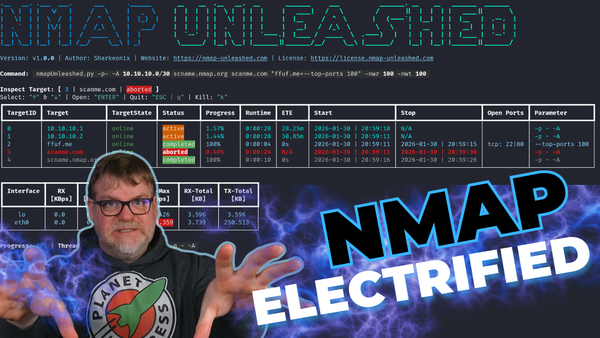
Unlike vanilla Nmap output, Nmap Unleashed provides a more dynamic terminal interface.
While scans are running, you can observe:
- Progress percentages
- Throughput metrics
- Interface activity
- Network transmit/receive statistics
This makes long scans more transparent and easier to monitor. Instead of staring at scrolling terminal output, you get a clearer sense of what’s happening and how aggressively your network is being scanned.
Automatic Report Structuring
This is where Nmap Unleashed really shines.
After completing scans, it automatically generates:
- Consolidated HTML reports
- Text output files
- Per-host subdirectories
- Structured folder hierarchies
If you scan multiple IP addresses or domains, everything is grouped into one navigable report. You can click through hosts and view:
- Open ports
- Service versions
- Response headers
- Script output
- Detected vulnerabilities
For penetration testers and consultants, this drastically reduces the time spent cleaning up raw output for clients.
Leveraging Nmap Scripts for Enumeration
Because it sits on top of Nmap, Nmap Unleashed fully supports the powerful Nmap Scripting Engine (NSE).
This means you can run scripts for:
- SMB enumeration
- Share discovery
- User enumeration
- OS detection
- Vulnerability scanning
- Remote code execution checks
In testing scenarios, you can quickly discover information such as:
- Operating system versions
- Hostnames and domain names
- Open management ports like RDP
- Potential SMB vulnerabilities
The wrapper organizes this data into readable HTML output, which makes documentation and reporting significantly easier.
A Tool for Ethical Hackers and Defenders
Nmap Unleashed isn’t just for attackers. It’s equally useful for defenders.
If you manage internal infrastructure, it helps you answer questions like:
- What ports are exposed on my subnet?
- What services are running and on which versions?
- Are legacy protocols like SMBv1 still active?
- Is anything publicly accessible that shouldn’t be?
Visibility is everything in security. Tools like this make that visibility more approachable.
Getting Started
Nmap Unleashed runs on Linux and works especially well on Debian-based systems. It installs Nmap, required utilities, and uses pipx for deployment.
Rather than duplicating the full installation walkthrough here, the SYNACK Time video demonstrates:
- Fresh installation on Debian
- Dependency setup
- pipx configuration
- First scan execution
- Report generation and export
If you’re following along, the video walks through everything step-by-step.
Learning Resources
If you’re new to Nmap itself, there are excellent educational resources available. For example, Chris Greer has produced high-quality educational content covering packet analysis and Nmap usage fundamentals.
Before diving deep into aggressive scans and scripting, it’s worth understanding:
- TCP vs SYN scans
- Service version detection
- OS fingerprinting
- Script categories
- Timing templates
Nmap Unleashed makes execution easier, but understanding what you’re running is critical.
Final Thoughts
Nmap remains one of the most powerful open-source tools in cybersecurity. But raw power can come with complexity.
Nmap Unleashed bridges that gap by:
- Simplifying scan construction
- Providing clearer runtime feedback
- Generating structured, professional reports
- Reducing post-scan cleanup work
If you’re regularly scanning networks — whether for defensive audits, lab experimentation, or professional engagements — this wrapper can save you time and reduce friction.
For a full demonstration, live scans, HTML report walkthrough, and installation guide, check out the corresponding SYNACK Time video.